

Online Safety
At St George’s, we are committed to keeping our pupils safe online both in and out of school. This page provides guidance, resources, and support for parents and carers to help children navigate the digital world safely and responsibly.
What is Online Safety?
Online Safety refers to the safe and responsible use of technology, including the internet, social media, and mobile devices. It involves protecting children from online risks such as cyberbullying, inappropriate content, and online exploitation.
How do we teach Online Safety?
Online safety is a key part of our safeguarding approach and is embedded across both the Computing and PSHE curricula. Pupils are taught how to stay safe online, protect their personal information, and treat others with respect in digital spaces. They learn about digital footprints, online privacy, and how to report anything that makes them feel uncomfortable or unsafe.
Through our PSHE curriculum, children explore online risks such as cyberbullying, false identities, and peer pressure. They learn to apply the same standards of kindness and responsibility online as they do face-to-face. As they grow, pupils become more discerning about what they see and share, understanding the permanence of online actions and how to critically evaluate digital content.
We also mark Safer Internet Day each year with themed activities and assemblies, reinforcing key messages and encouraging pupils to reflect on their online choices. By the end of primary school, our children are confident, respectful, and responsible digital citizens, equipped to navigate the online world safely.
Parents Guide to Online Safety
Being online offers children many exciting opportunities—from learning and research to staying connected with friends and family. However, it also presents risks. As most online activity happens at home, it’s essential for parents to understand how to help keep children safe.
Key Considerations
Sharing Information
Talk to your child about what is safe to share online. Personal details like full names, addresses, and school information should never be posted publicly.
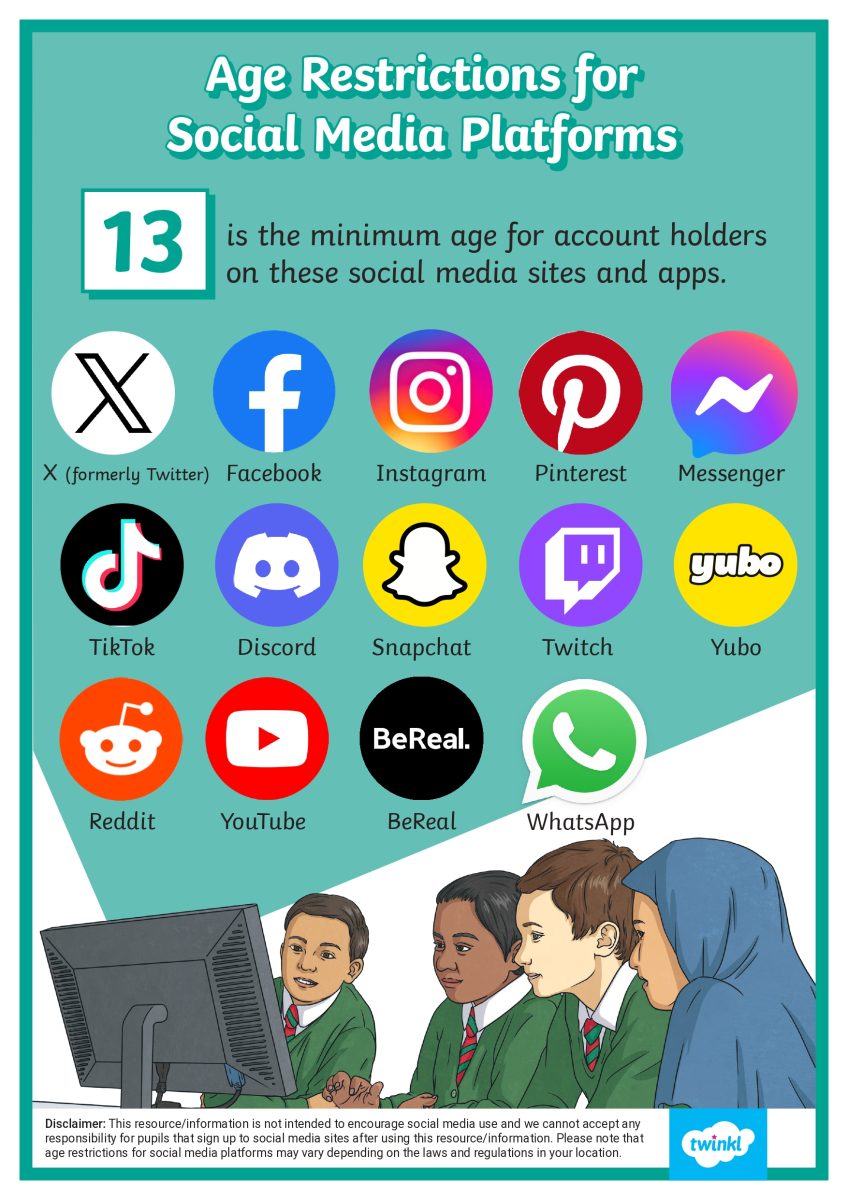
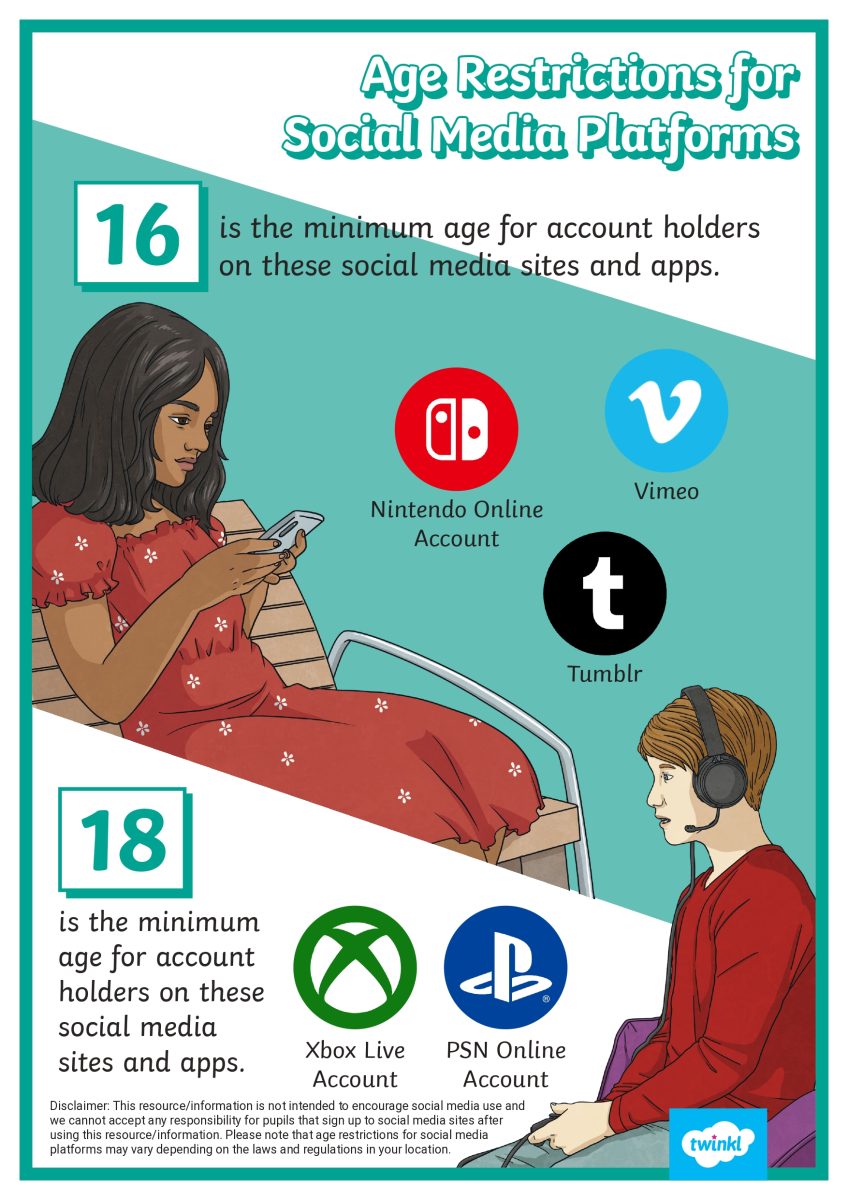
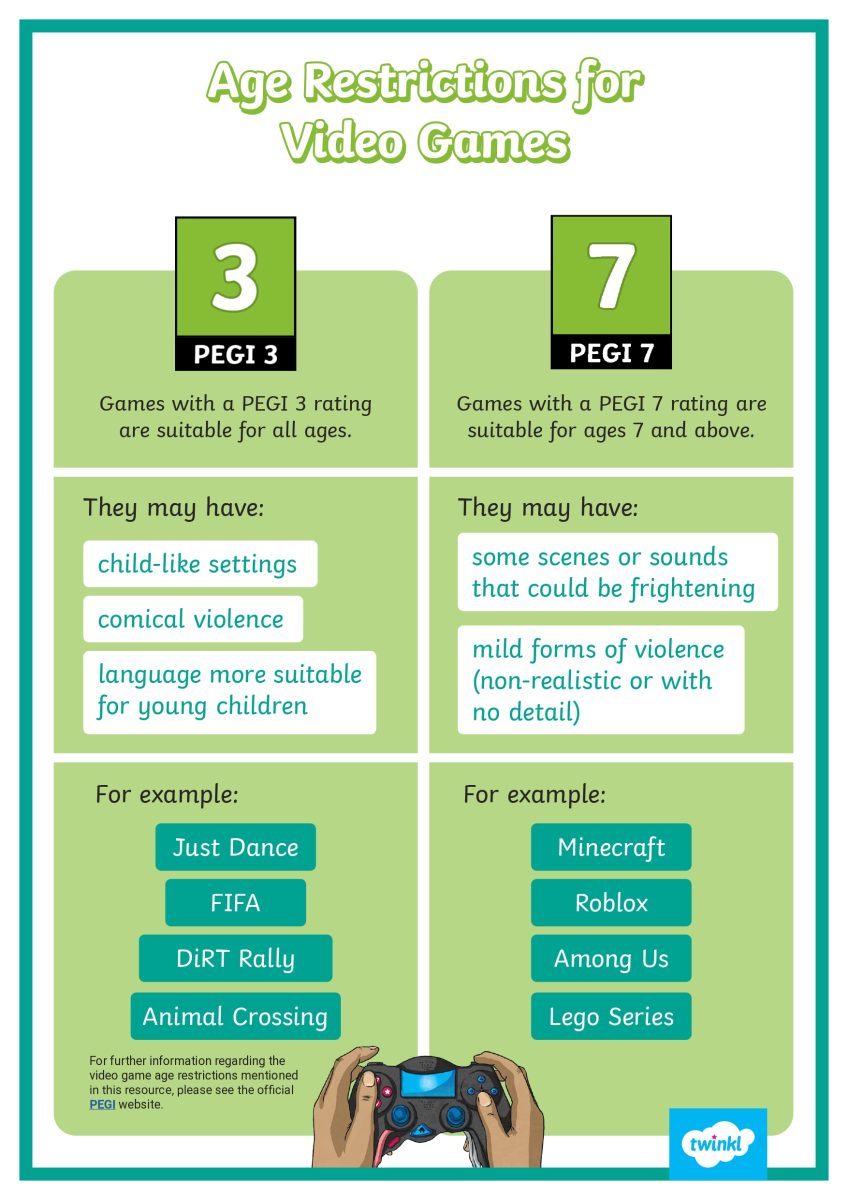
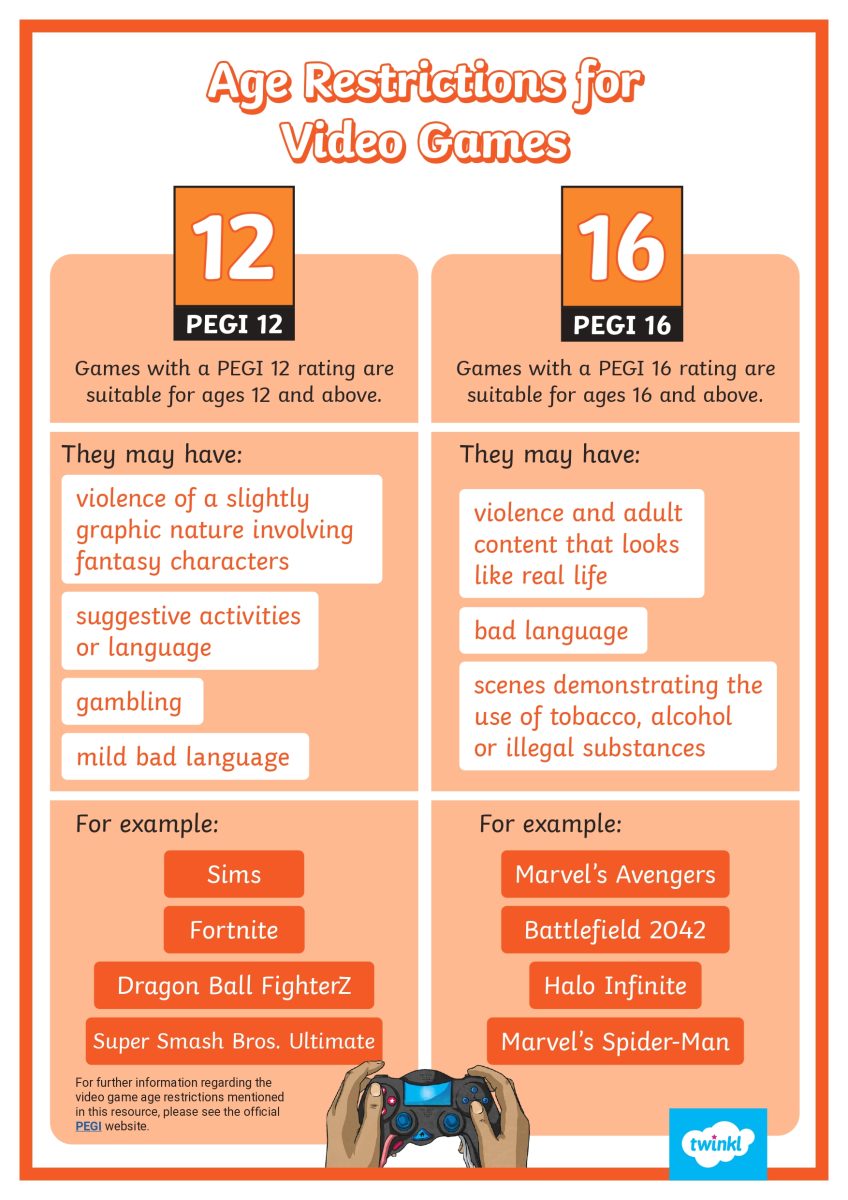
Age Restrictions
Be aware of age ratings on games and apps. Streaming platforms may not always show age guidance clearly, so help your child choose appropriate content. Visit www.commonsensemedia.org for reviews and age recommendations.
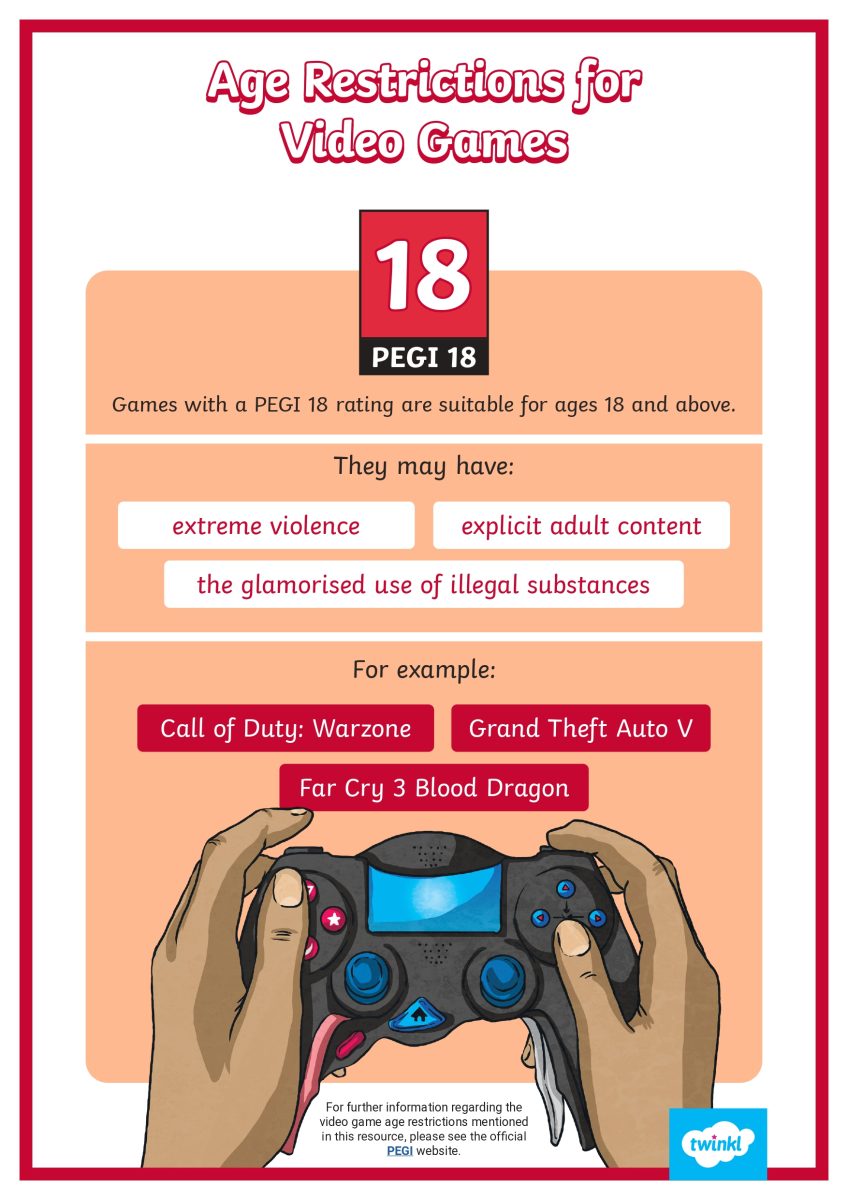
Gaming
Online games often include live chats, pop-up ads, and in-app purchases. Regularly check what your child is playing and discuss any content or interactions they encounter.
Online Bullying
Children may find it easier to be unkind online than in person. Encourage kindness and open conversations. If you suspect bullying, talk to your child and use tools to block or report users.
Learn more at: Helping Children Deal with Bullying & Cyberbullying | NSPCC
Online Grooming
Not everyone online is who they claim to be. Regularly review your child’s contacts and ask who they’re talking to.
Report concerns to: CEOP Safety Centre
Screen Time
Balance is key. Encourage offline activities like board games, outdoor play, or reading. Parental controls can help manage screen time.